

Since Facebook became the most visited social networking sites, sites like Friendster is already forgotten. Most of my friends already migrated to the first one, and my problem how can I download all my photos from Friendster. It's not easy eh, I have thousands of photos stored on the said social networking site and it will take forever if I right click and save it. In Facebook it is easy all you need is to installed additional plug-in and presto you can download all your pictures. What about Friendster is there an easiest way? Well here's what I found online and tried:
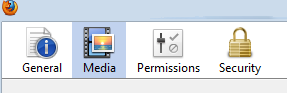
- Log-in to your Friendster account and browse your pictures one by one.
- On your Mozilla Firefox menu, click TOOLS then choose PAGE INFO
- Click the Media Icon on top of the Page info window.
- Look for Image Type files that starts with http://photos.friendster.com

- Select all the images that you want to save. You can see the preview of each picture at the bottom of Page Info window.
- Click Save As and save it where ever you want in your computer.
- Done.
For complete information you can visit here.


0 comments:
Post a Comment